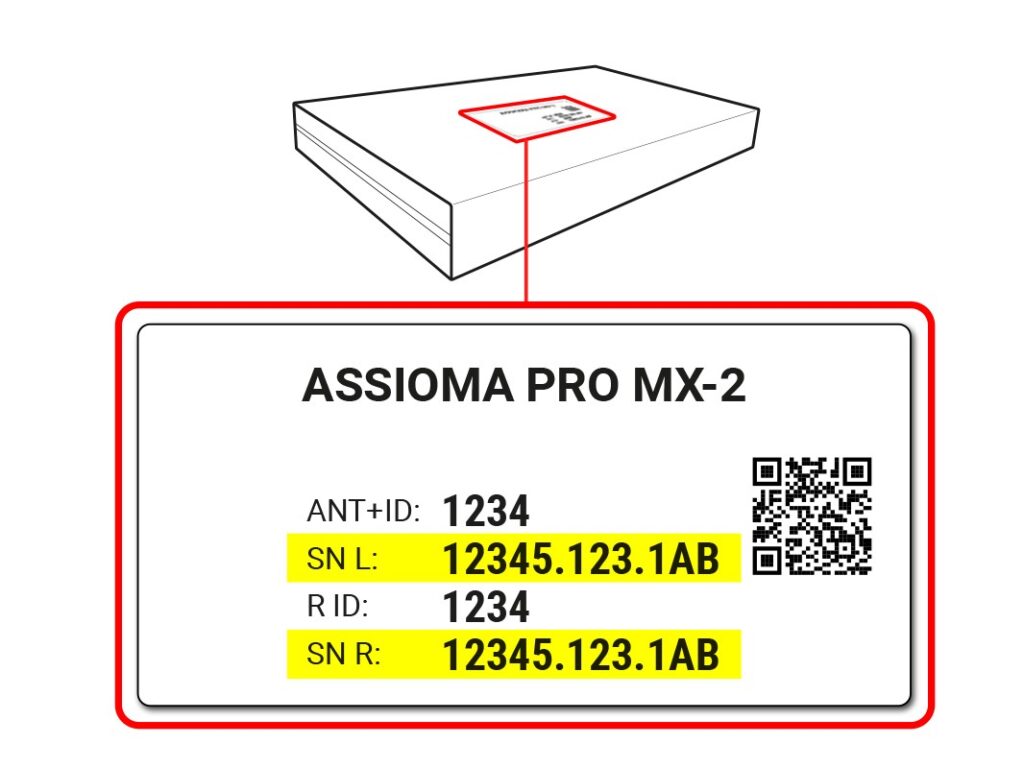
You can easily update the firmware of your Assioma power meter with your smartphone or tablet using the Favero Assioma app, which is available for free for Android and Apple devices.
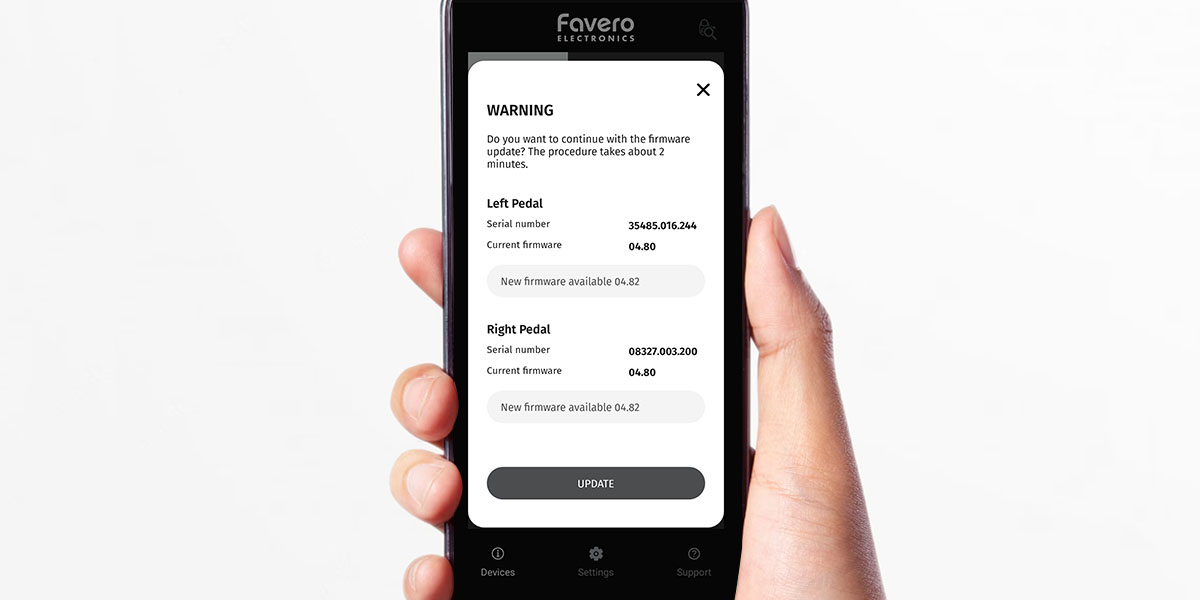
Once you have connected your Assioma via Bluetooh to the app, just enter the “Firmware” tab to check if there are new firmware versions available and then proceed with the installation. If you have any doubts about how to correctly connect Assioma to the app, click here.
Before updating the firmware
Before searching for and installing a firmware update, make sure that:
- The Favero Assioma app is updated to the latest version available on the App Store / Play Store
- Your smartphone is charged, with active Bluetooth and internet connection
- Your Assioma’s battery is fully charged.
Downloading and installing the new firmware usually takes only a few minutes: the duration may vary depending on the characteristics of the mobile phone and the speed of the internet connection.
Procedures
If a new firmware version is available, you will see in red “Firmware update available” above the serial number of the pedal. Click on the “UPDATE” button.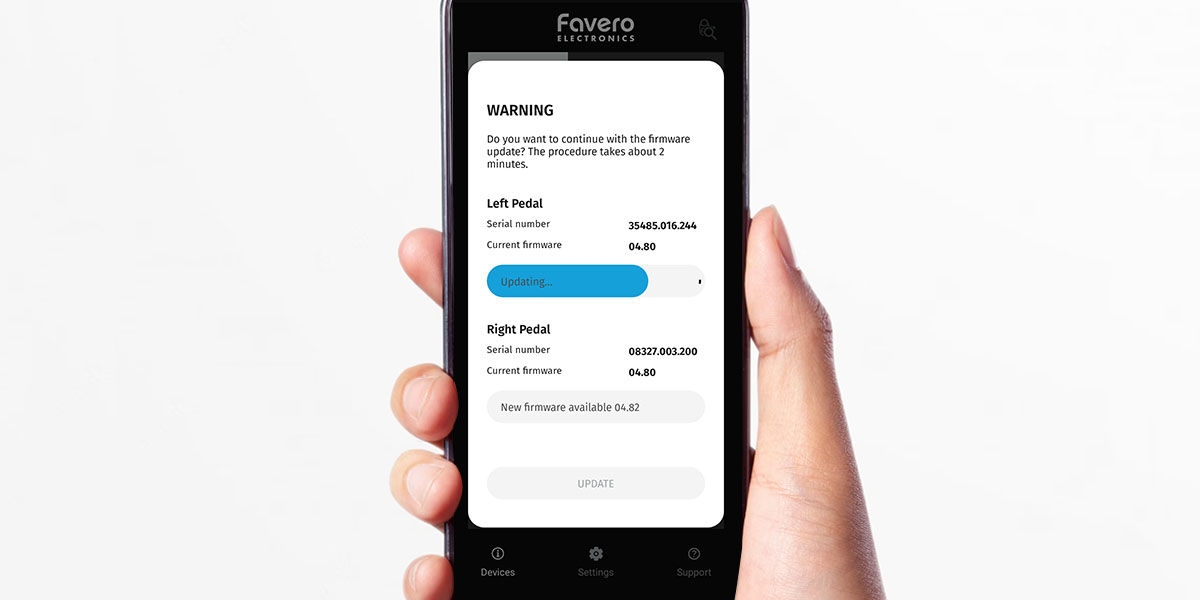
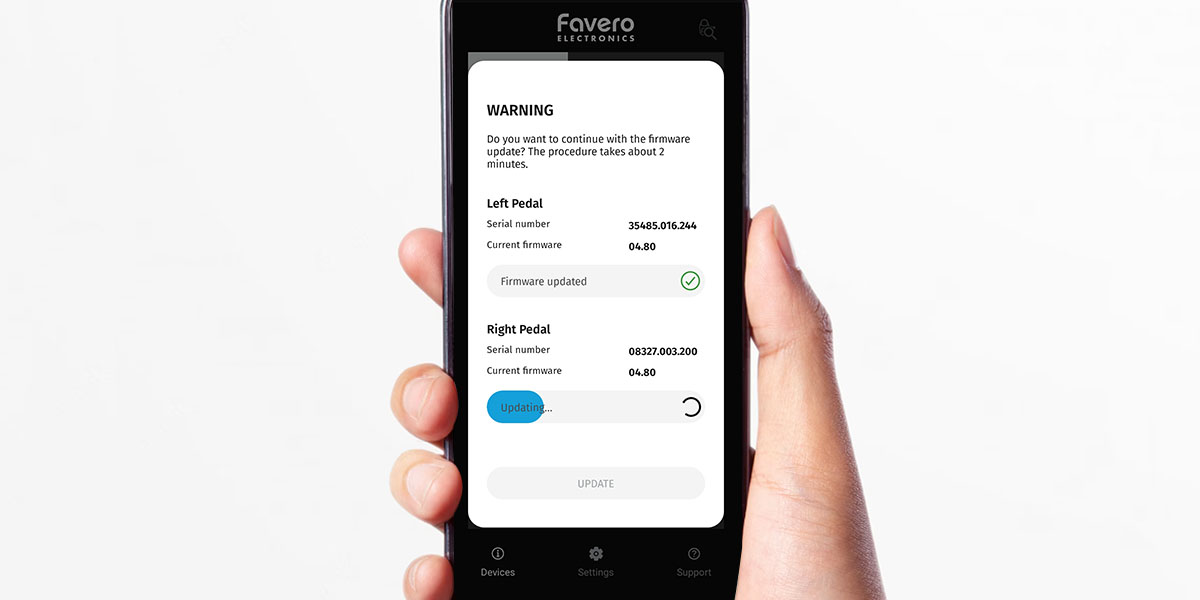
If you have an Assioma DUO, remember to repeat the procedure on both pedals.
To make sure you have updated your power meter correctly: close and restart the app; connect the pedals again and go to the “Firmware” tab; under the firmware version you will see the words “Firmware Updated”.
For Assioma DUO, make sure the label “Firmware updated” appears for both pedals.
“Bootloader” safety mode
Assioma has a Bootloader mode that safeguards the good functioning of your power meter in case of unexpected events (e.g. sudden shutdown of the mobile phone). Assioma enters this safety mode by deactivating all non-essential functions, including LED lighting. Assioma might seem off but actually is waiting to be restored through the Favero Assioma App. (How to exit Bootloader mode)
We recommend that you restore as soon as possible your Assioma. In any case, if you want to postpone the operation, remember to leave it charging.